
Eloquent
Eloquent Helper Code Generation
Eloquent is full of magic, so PhpStorm needs some helper code to understand it. There are 2 ways to do it:
- barryvdh/laravel-ide-helper package can generate the needed phpDocs(
ide-helper:modelsartisan command) - use our own Eloquent Helper code generation - it generates more powerful helper code.
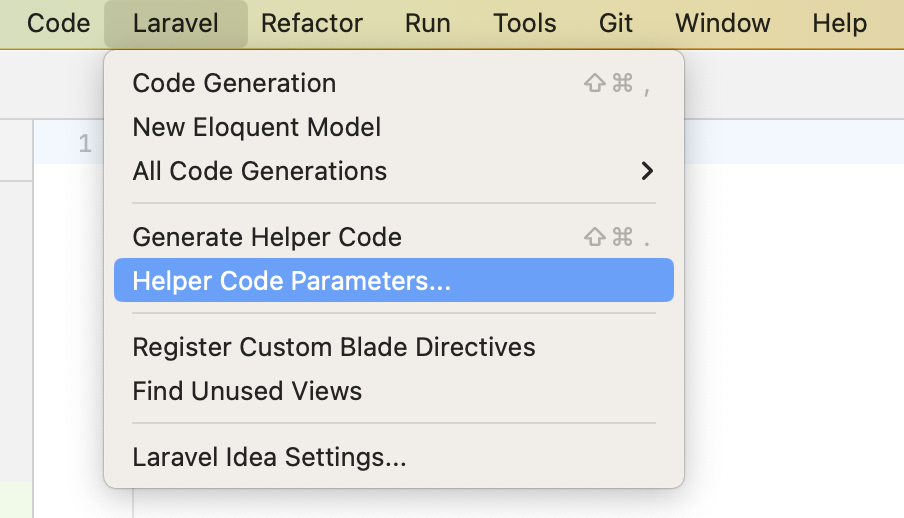
Generate Eloquent Helper Code command is available in the Laravel main menu item.
INFO
It also can be called by quick key combination: Shift-Cmd(Ctrl)-.
Helper code will be generated without any dialog windows.
INFO
First call will ask you to configure the Eloquent helper code generation.
Later you can change those parameters at any time.
There is Helper Code Parameters... in the Laravel main menu item.
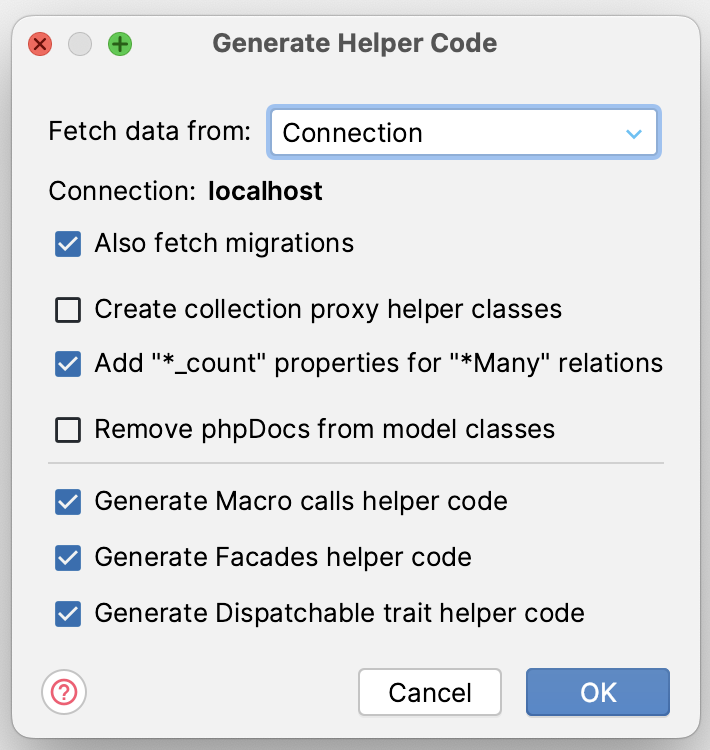
Fetch data from
Tables and columns can be fetched from migrations or existing database connection.
INFO
It's available to choose the both fetch types: from database and from migrations with the Also fetch migrations checkbox.
Migrations are fetching after connection and the fetched data from migrations will be added to the generated helper code as an addition.
It doesn't replace or remove anything.
Create collection proxy helper classes
Adds a helper code for supporting Collection proxies for all Eloquent models.
Add "*_count" properties for "*Many" relations
Eloquent adds _count properties for entities fetched by withCount method, and you can add these properties to the helper code: User::withCount('posts')->first()->posts_count
Where to store generated model properties
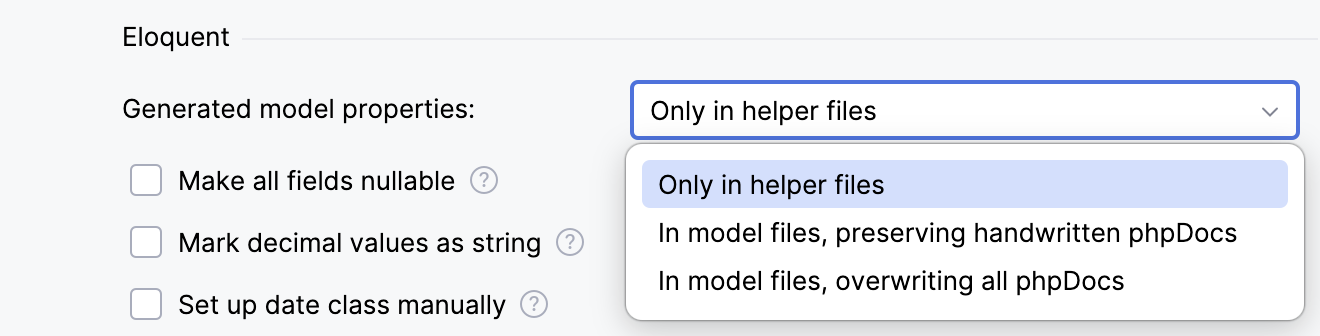
Open Settings | Languages & Frameworks | Laravel Idea | Helper Code and choose Generated model properties:
- Only in helper files keeps generated properties outside the model classes.
- In model files, preserving handwritten phpDocs adds generated properties to the models while keeping handwritten documentation.
- In model files, overwriting all phpDocs replaces the model phpDocs with generated documentation.
To remove existing model phpDocs, use Laravel | Remove Model PhpDocs....
Eloquent Model UI
The generated helper files (vendor/_laravel_idea/_ide_helper_models_*.php) open as an overview of each model instead of helper code. To get there from a model, click the Laravel gutter icon next to the model class and choose Eloquent Model UI.
The overview shows the table and primary key, fields with their types, relations, scopes, and related classes such as factories, resources, and migrations. Every name is a link: click a field to find its usages or rename it, or click a related class to open it.
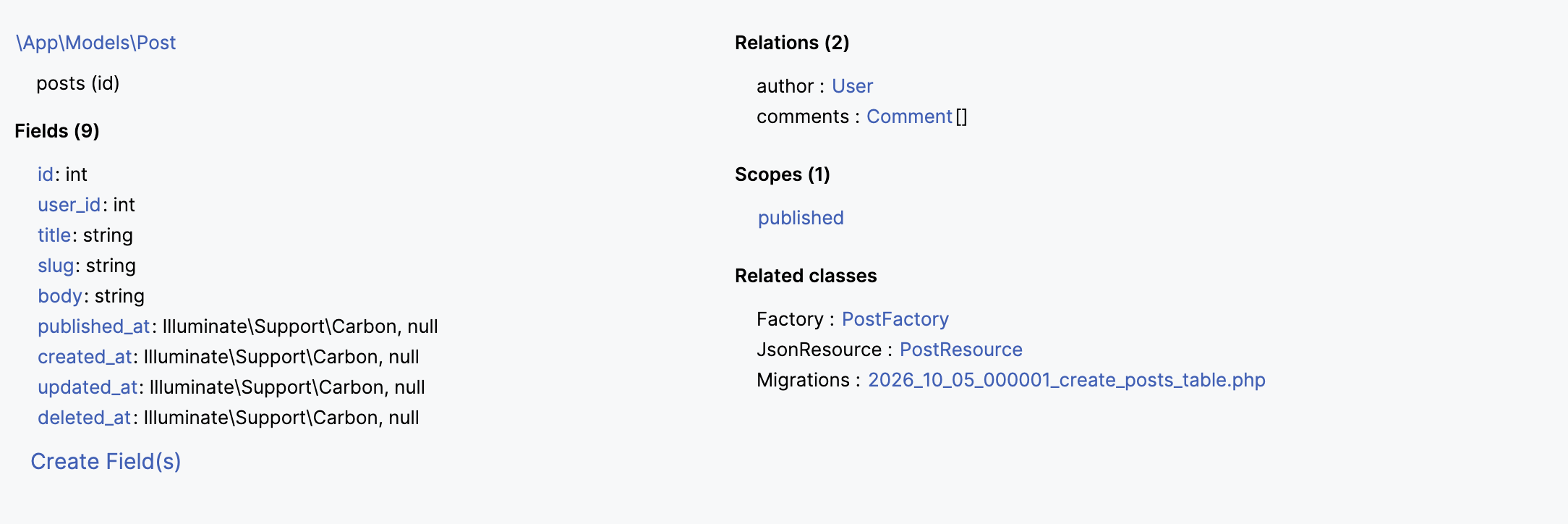
Create Field(s) adds new columns to the model's table. Laravel Idea creates a migration for them and adds them to $fillable or $guarded:
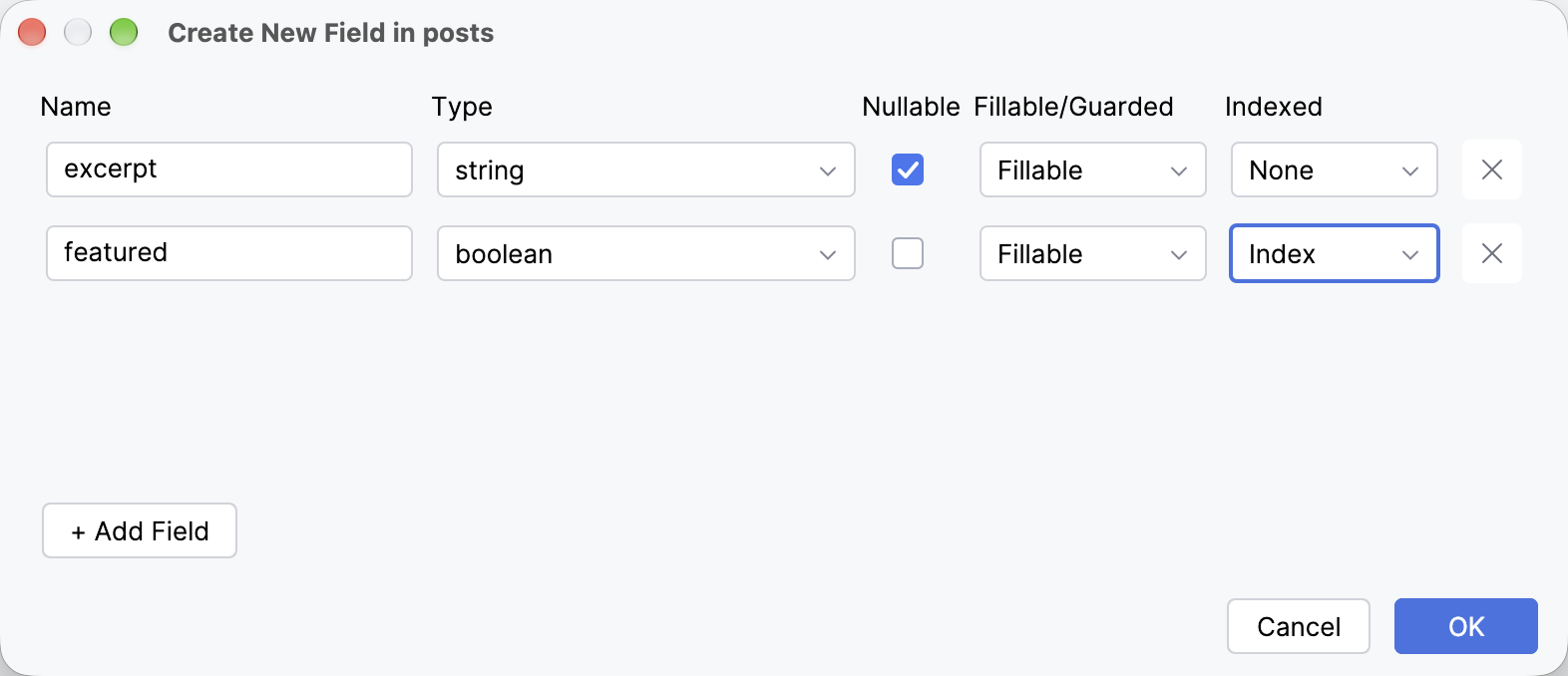
To see the helper code instead, disable Show Eloquent model preview in Settings | Languages & Frameworks | Laravel Idea | Helper Code.
Completions
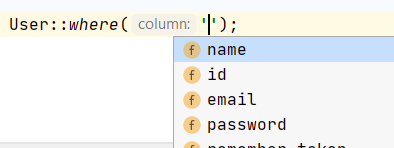
After generating a helper code, Laravel Idea starts to complete fields and relations almost everywhere:
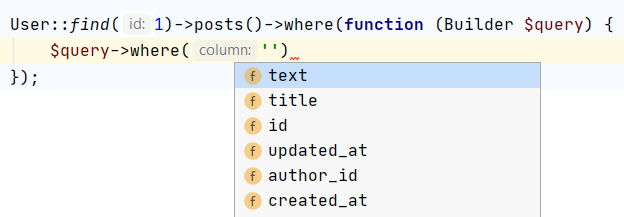
Inside a relationship query, Laravel Idea also completes fields from the related model. This example queries the Comment model through the Post model's comments relation:
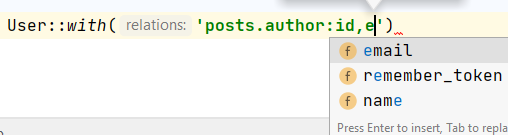
Relations chain is also not a problem:
Fields inside class:
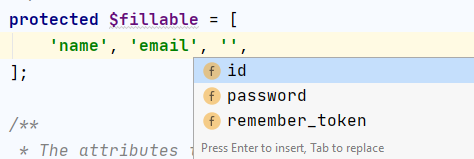
Code generations
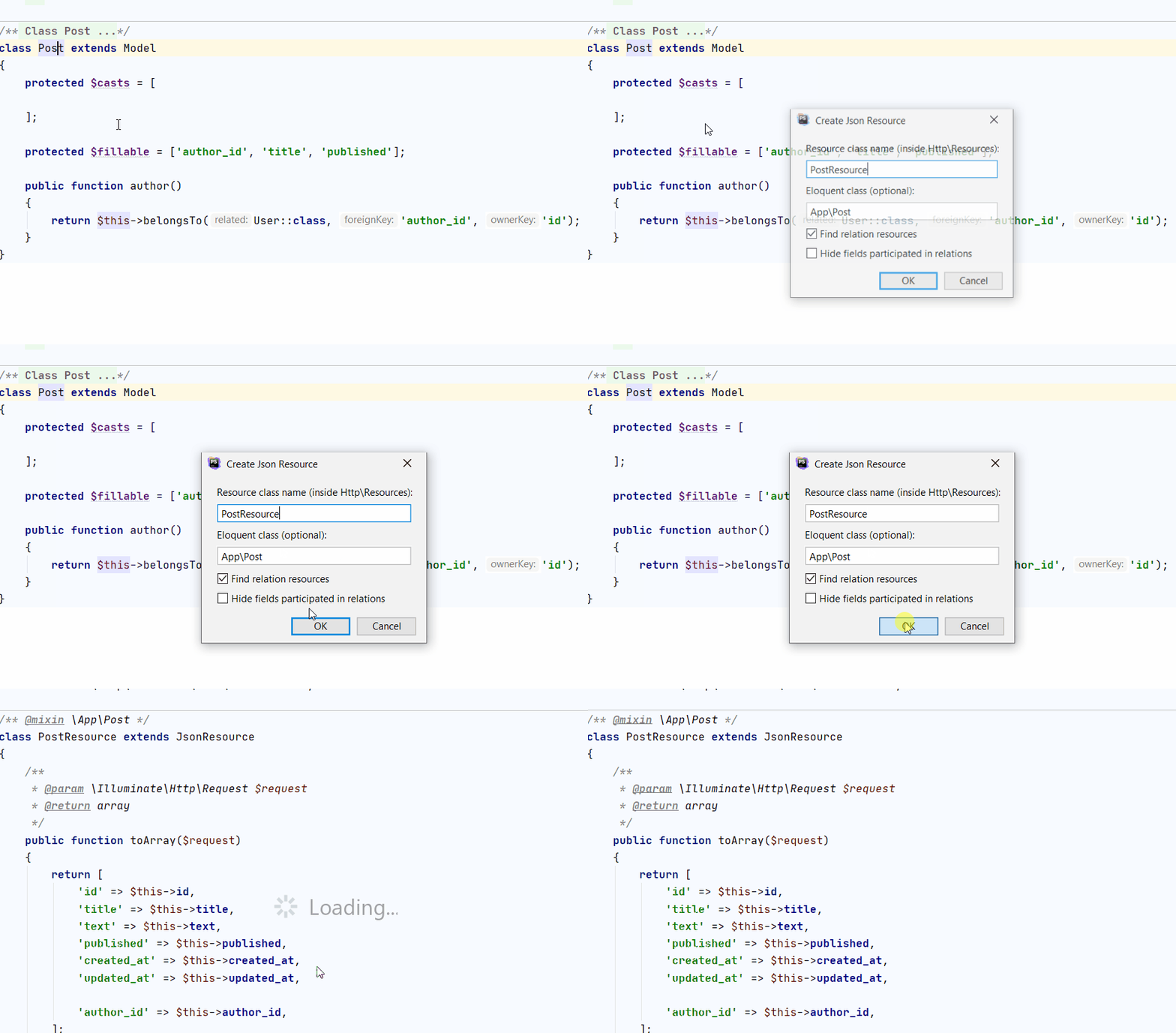
JSON resource generation is accessible from the main Code generation menu or in the Generate context menu: (Cmd-N, Alt-Insert) in the Eloquent class. It uses fields and relations information to generate full JSON resource for this class:
Enter the resource name, select its Eloquent model, and confirm the dialog. The following sequence shows the configuration for Post and the generated PostResource:
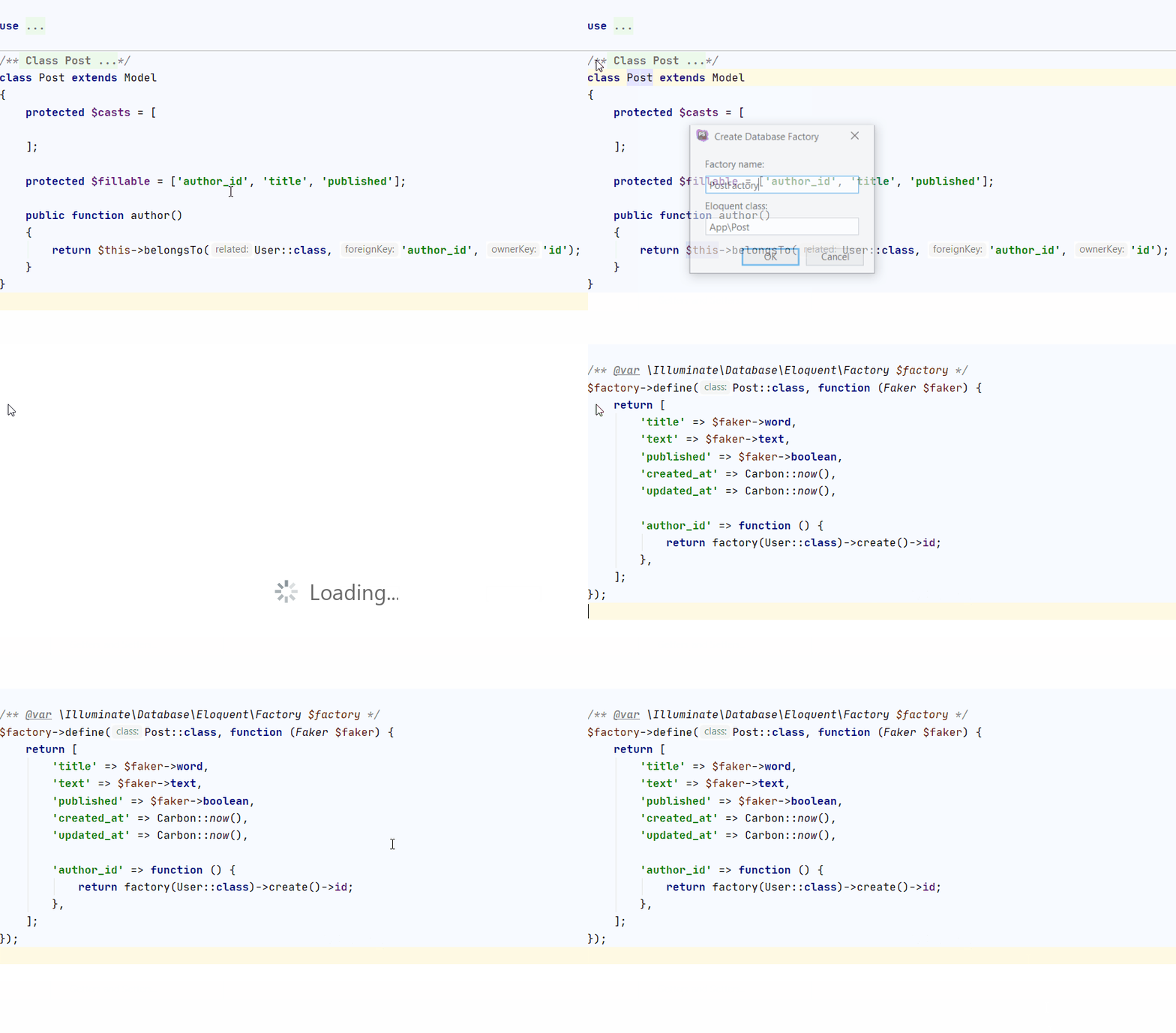
Database factory generation is accessible from the main Code generation menu or in the Generate context menu: (Cmd-N, Alt-Insert) in the Eloquent class. It uses fields and relations information to generate full database factory for this class:
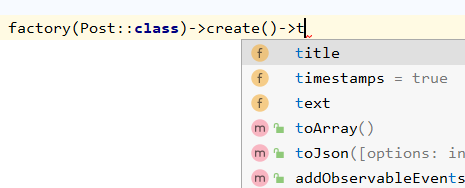
Database factory type hinting
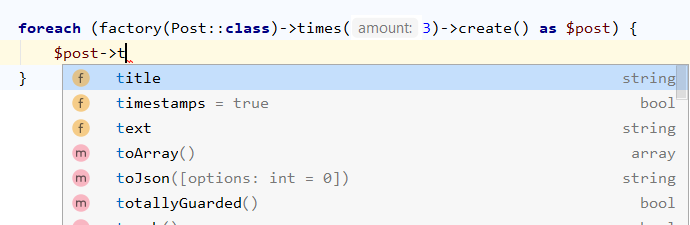
Laravel Idea hints the type of factory()->create() calls:
Multiple create also supported:
Productivity Tips
Autocomplete $fillable property
Laravel Idea provides a quick way to complete $fillable property of Eloquent models automatically.
Run Generate command(Cmd-N, Alt-Insert) inside $fillable property array and choose Add All Fields: 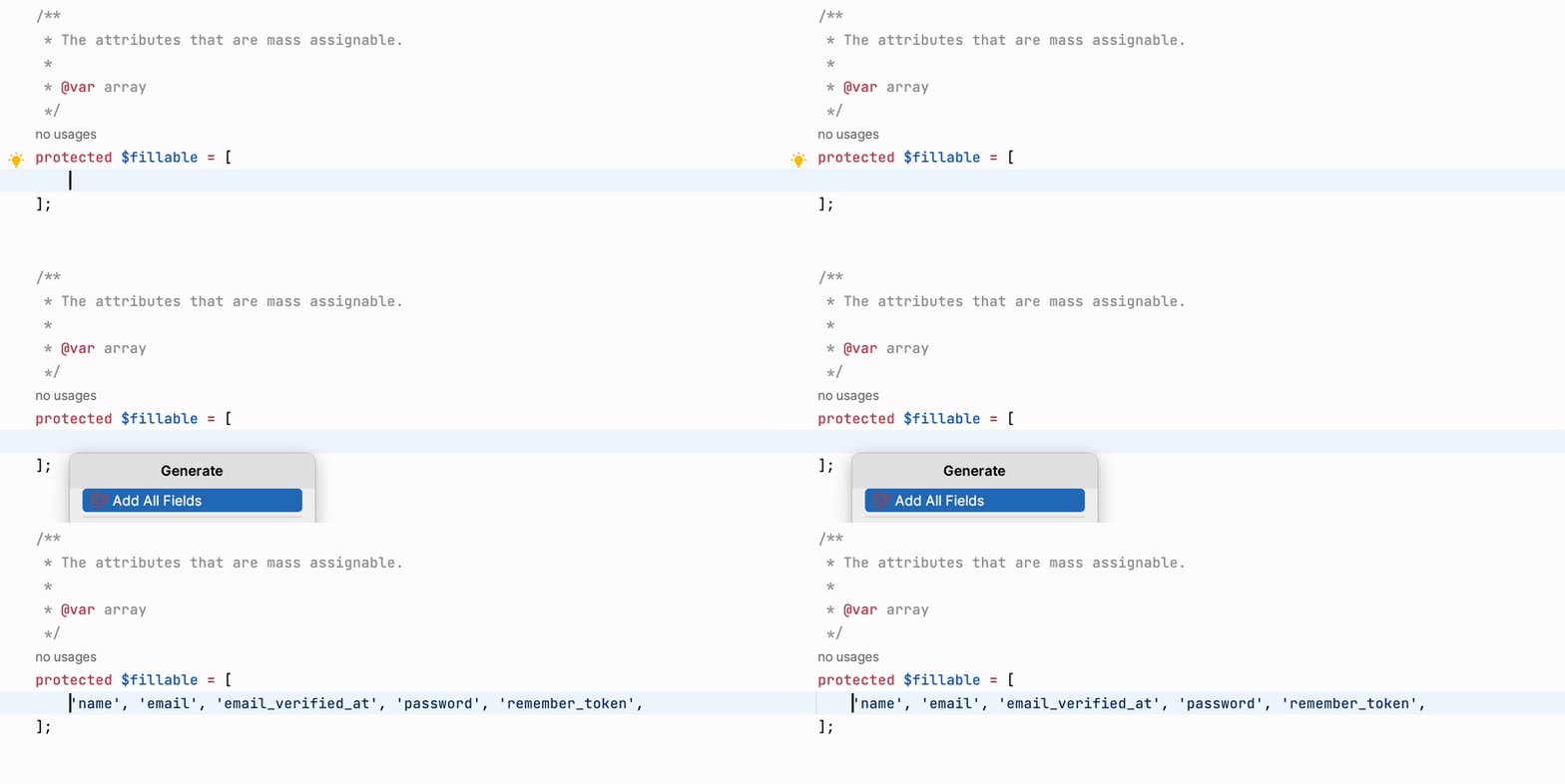
WARNING
This works only if Eloquent Helper code was generated before.